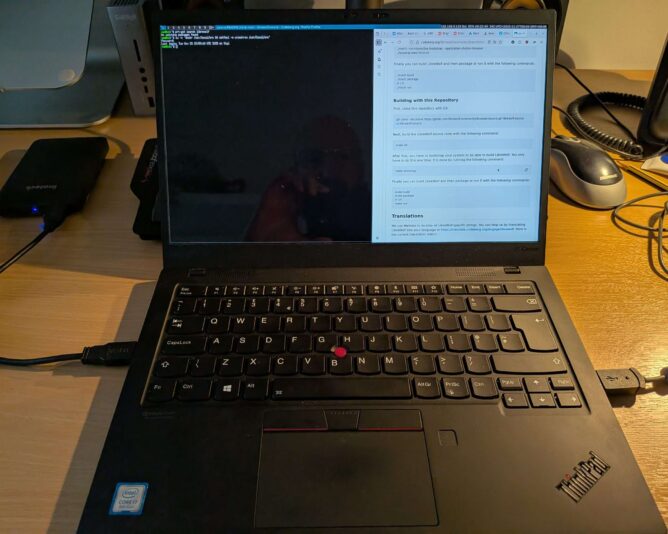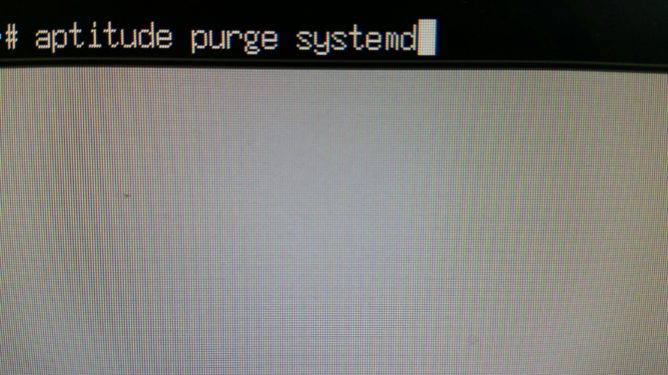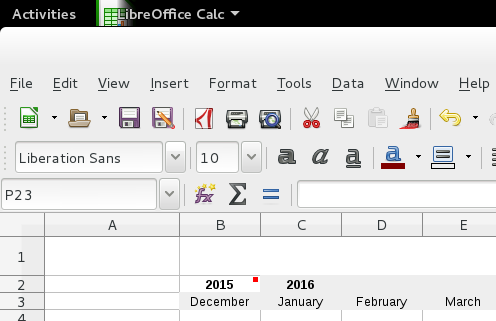
Laptop with suckless environment

I decided to trial CRUX on my laptop. For the uninitiated, CRUX ‘is a lightweight Linux distribution for the x86-64 architecture targeted at experienced Linux users. The primary focus of this distribution is “keep it simple” ‘. (CRUX handbook)

The aims of this exercise are twofold:

  1. Achieve a singular focus on software and system management. I want only the software I want on my laptop to be on my laptop. Nothing more. I don’t need to install games, for example. Sadly, I don’t have time for that.
  2. Take this minimalistic journey to its conclusion, by running a suckless environment. Suckless software (unencrypted link) is ‘the home of quality software such as dwm, dmenu, st and plenty of other tools, with a focus on simplicity, clarity and frugality. Our philosophy is about keeping things simple, minimal and usable.‘ (suckless philosophy)

The combination of CRUX and Suckless software means that a lot of compilation of source code is expected. This is fine – it promotes a journey into better understanding of “the UNIX way” and grasping the concepts behind the shell and userspace more closely.

It’s minimalist, which is what I like. Truth is, like most people, I’m easily distracted. Give me a little stress and I can find many other things to do (like write this blog?!) instead of the work in front of me. Running the most minimalistic computer environment is that my attention has little chance to wander. No distractions. No notifications. Just singular purpose – the tasks to be achieved.

Baby steps

The first step in setting up a CRUX system is installation. Easy, one might say. To some extent this is true: the documentation is written very well; you can tell it has been honed over successive generations into a terse, reasonably compact yet sufficiently detailed tome of guidance on how to set up your machine. Unfortunately, I failed at my first endeavour, and ended up with an unbootable system. The reasons were several:

  • I made a simple, schoolboy error with the syslinux bootloader, naming my kernel image vmlinuz-6.12.23.img. This is incorrect according to the syslinux documentation, as I later discovered. Only initramfs images can have the .img filename extension. Once corrected, the system actually booted but soon ran into another problem.
  • I inadvertently stripped back the kernel too much when compiling it, removing (or not adding) key items like framebuffer support and the intel i915 graphics driver. This made early-boot diagnostics very difficult, because errors would scroll by, off-screen, before I could read and understand them.
  • Furthermore, I stumbled upon a weird situation with dracut/initramfs. When running through the early boot process, it mounted /usr (which was a separate LVM volume on my SSD) into the early-boot environment, but then didn’t unmount it before running switch_root. switch_root is the process that gets executed as a final “handover” to the Linux kernel, allowing it to continue the boot process by providing mounted drives that are ready for init (pid 1) to be executed. Because /usr was mounted, a filesystem check could not be performed on it before mounting, which halted the boot process. I need to re-test this before considering raising a bug report.
  • The combination of the above factors meant that I couldn’t see the fsck issue occurring when starting up the system, and instead was left with a system that (after bootloader issue was resolved), didn’t tell me a lot about why it wasn’t booting. Yuck!

RTFM, again

In case you have stumbled upon this page and think “that sounds like what’s happening to me”, let me point you to the very helpful additional documentation:

This documentation, in addition to the CRUX handbook, got me through. It’s very useful to understand where the rd.* variables live (and why), and what options you have to improving the boot environment to help with early analysis and debugging of your set-up.

Next steps

My bootable CRUX system currently lives on an external SSD, in a USB enclosure. My intention is that once that environment is functionally equivalent to my current Debian 13-based laptop, I’ll do a disk-switch by backing up my laptop image (the whole image, as one file, to another external disk) and then run through the installer one last time, properly setting up the laptop SSD with a new partition table, boot sector and fully-sized luks-encrypted volume that will contain all my data.

Once the basics have been set up, I’ll then boot into a rescue environment and copy verbatim all files from the external USB CRUX drive’s logical volumes to my internal laptop drive’s LVs. It’s slow-going, but a much more measured approach which I have to remind myself is the right way to go, here. (One is perhaps a bit impatient at times … ahem).

I’ll write a follow-up post when getting nearer to the switch over.

Why all this effort?

Like many people, I firmly believe in the following principles:

  • privacy-first computing: that you should opt to share any data from your computer, to any person or organisation. Not have to “opt out” (how can you opt out if you never opted in, I wonder?!)
  • digital-minimalism: install and run the software you need, and that’s it
  • learning-focused: create an environment that cultivates and encourages learning. Avoid the temptation of environments that “just work”.
  • community-powered: this is a way I can contribute back to the community of developers and creators whose hard work provides me with the freedom of choice.

Life is too short not to align with your values. That’s the CRUX of it.

I’ve ordered a machine to replace my Macbook Pro in the office: Dell Precision T3500 Xeon W3540 2.66GHz w/12GB  🙂

Great performance at 1/10th the cost?! What the Dell?!

I have been suffering as a would-be Mac user for the best part of 10 months now, on and off.  It’s been a painful experience, physically and mentally.  I was only going to post a short “microblog” post and be done with this topic, but I felt the need to expand upon my decision to do this.

Perhaps it will help dissuade potential future purchasers of Apple‘s overpriced, underwhelming and non-expandable machines.  I hope it does, as one of the worst problems we create for ourselves in the 21st century is planned obsolescence – something, arguably, which Apple is guilty of.

Background

In my day job as managing director (CEO) of a UK web development & cloud hosting business, I – predictably – develop websites and administer servers.  I’m the kind of guy who likes to keep his hands dirty, and my skills up.

Like many other people running a small business, my daily activities can vary rapidly.  A computer which is good at switching quickly is a boon.  Actually, it’s a frikkin’ necessity.  Yet my core activity – PHP & JavaScript development, rely on a few basic things.

Very basic things, in fact.

Very Basic Things I continue to rely upon, to get work done:

  • A keyboard with sufficient key travel, tactile feedback;
  • A keyboard that broadly adheres to the standard PC 105-key layout (with or without a numeric keypad).  This means:
    • Not putting CTRL (Control) in a stupid place.
    • Not putting ALT (Option) in an equally stupid place.
    • Not having a ⌘ (“Command”) key full-stop.  It’s a redundant modifier.
  • Having an operating system that gets out of my way.
  • Having a computer fast enough to run an operating system that gets out of my way.
  • Seeing the SMART status of connected drives.
  • Confidence in the device’s security.
  • Confidence in its ability to stay cool when working hard for long periods.
  • A system-native text editor that doesn’t refuse to edit the files I tell it to!
  • Expandability.

For me, the Macbook Pro fails in all of the above.

Appeasing Mac fans & celebrating the good stuff

In April 2016, I bought this “Early 2015” Macbook Pro.  It has a Core i5 5257U processor, 8GB RAM and 256GB PCIe SSD.  When I mentioned to fellow designers I bought this, it was met with a knowing smile and the instant acknowledgement, “ahh wow, the SSD in those machines makes them so fast!”.  I also, regretfully, bought a 27″ Thunderbolt display.  The total cost of these two: a few pence short of £2,100.  Two-thousand, one-hundred pounds for an average-spec 2015 laptop and 27-inch QHD monitor.

Fast is something I have never, ever considered a Mac to be, and especially this MBP.  It booted quick, sure, but in general use… nah.  Really, no.  But I’m not in the habit of upsetting people, so more often than not I’d reply with some kind of non-opinionated remark like, “yeah?  Right… I look forward to seeing that”.  I’d argue, though, that the apparent lack of speed is much more to do with the operating system than the hardware.

This isn’t an Apple-bashing post.  It’s just an expression of my preference.  Yet there are things I really do like about the MBP:

  • Ambient light-sensitive backlit keyboard – very classy
  • A 3:2 ratio screen.  Apple has the right idea here, and the rest of the world is stupid for putting widescreen displays in productivity laptops. Stupid.  Well done Apple.
  • Build quality is really excellent.  If you like computers because they can be built well, I guess you may already have a Mac. 😉
  • Key spacing & travel.  You’re probably thinking, “but you just said…”.  More on this in a sec.
  • The port selection, while not excellent, still rocks more than on a MBP 2016 (like, duh!)
  • The 13″ retina display
  • The laptop’s general weight, shape, size and physical feel.  It’s solid, if a little cold to the touch sometimes.

Talking KJeyboards…

I am typiubg this post on Apple’s “Magic Keyboard 2”.  This section, including heading, is intentionally left with all the typos in as I make them.  Why?  Because the MAgic Ketword 2 is uterly crap compared to the keyvoard on the MBP itself.  It pales in comparison in terms of typing experience.  I would strongly recommend against anyone buying it, unless it’s vital to you to have a mininalist desk you can take photos of and swoon over all day.  I spend hours of wasted time correcting typos that occur as a direct resylt of using this keyvoard.

By comparison, I was really quite glad how usable the keyboard on the MBO really is.  ITs typing experience, much to my genuine surprisem ws excellent.  The key travel is good abd the spacing between keys works really well.  Although chiclet in style, with slightly rteduced key sizes compared to, say, an old school LEnobo Thinkpad (like my old T420), it’s so much more intuitive to use than the Magix Keyboard 2 that I shall no longer labvout the point and just move on.

The Problem with using a Mac:  Mac OS / OS X / macos

2015 Retina Macbook Pro
My 2015 rMBP. The current work machine.

macos is stupid and has been out-developed by GNU+Linux and the GNOME free software project.  Strong statement, huh?  Here’s a few reasons why.

  • macos requires two keys for Mission Control and Launchpad.   You cannot view open windows and search for an application in the same mode.  In contrast, GNOME provides an overview by pressing the Super (Windows) key to see open windows, and accepts text search for launching a new app immediately.
  • macos doesn’t support writing to NTFS partitions.  Or writing to any Extended File System (EXT2,3,4), or other UNIX-based file systems.
  • macos’ Finder doesn’t handle SFTP connections to remote servers.
  • macos Finder supports the file operation ‘Move’ across file systems only through the undocumented keystroke, Shift-Command-V.  Why is this undocumented (or at least so hard to find in the documentation)?!
  • macos doesn’t do workspaces / virtual desktops as well as GNOME.  No other OS does.  GNOME uses the extra horizontal width to manage a vertical list of workspaces.  It’s totally logical and fluid in use, if unconventional.  But then, one has to “Think Different” to get on with unconventional.
  • macos doesn’t open an application in the workspace in which it was launched.  It seems to “remember” the last-used workspace in which the application was opened, which is pretty stupid when a second display is connected.
  • macos doesn’t support focus under the pointer.  When you move the pointer over another window, the previous window is still active.  Clicking, say on a button on the inactive window, first activates the window.  You then have to click on the button again in order to perform the expected action.  Again, serious inefficiencies when done multiple times per day.
  • Some macos keyboard shortcuts, relying on Cmd, really suck.  Here’s an example:
    Copying (Cmd-C) on a Mac. Note the awkward, cramp-inducing hand-crunch.
    Copying (Ctrl-C) on a PC. Possible without contortions.
  • Like other proprietary operating systems, macos includes features that are not wanted (Siri?! Siri-ously..?) or installed as standard (i.e. bloatware) that have no place on a business machine, Garageband being one example.
  • The list could go on, and on, and on…   [ EDIT 15 Feb 2017 ]  and it will!
  • Open a Finder window and the icons are not automatically sorted.  There is no general sorting setting, so each folder must have a “Arrange by” setting applied.
  • Copy a file from one Finder window and Paste into another.  The new file doesn’t appear in the destination Finder window.  That’s ok, just refresh the window’s contents…. except you can’t refresh a Finder window’s contents (amazing design decision there)!  And why does the file not even appear in the folder you’ve just pasted it into?!

But the most important thing is that GNU+Linux and GNOME (or really any other free software desktop environment) is so much better.  At least for someone like me, working with remote servers, or SSH sessions in a terminal, or doing lots of text editing.

What’s in a saying?

Here is a phrase you may have heard somewhen:

  • Choose an occupation you love, and you will never work a day in your life

I believe this is true.  I love my occupation and I am so privileged that people pay me to do it.   When I get into the office, I cherish that feeling of biting off more than I can possibly chew, and working the problem towards a solution.

In the business, we make every effort to deliver the highest quality at the lowest possible cost.  However, in web design, development and hosting, there are quite a number of significant costs to meet while trying to keep the end price reasonable.  One such cost is test equipment.

Another cost is time; a hidden cost if, as a developer, you are always fighting your equipment in order to achieve a comfortable, efficient workflow.  Using a Mac, while semi-enjoyable, also taught me just how efficient I had become using GNU+Linux to deliver results to clients.  I can’t imagine a more fluid workflow than Emacs, Chrome and GNOME.

Looks are nothing

So, to the new (old) machine, which will be with me tomorrow.  For the enormous sum of £179.99 + VAT and delivery (£9.99), I am getting:

  • T3500 Workstation
  • Windows 10 Pro 64-bit (this will be kept on the HDD for testing purposes)
  • Intel Xeon W3520 2.66GHz (4 Cores / 8 Threads)
  • 12GB RAM
  • 500GB SATA drive
  • DVD-RW
  • 512MB NVIDIA Quadro FX 580

There are a few discussions online about the merits of this workstation, and I’m glad I opted for one instead of a new laptop to supplant the MBP.  The Xeon 3520 processor is not new by any stretch of the imagination.  It’s 8 years old.  But it’s still capable enough by far and comparable to a core i7 920; a processor we still have in use in a server at Warp.

But let’s focus instead on someone else’s video, which is a nice way to tail off…


Image of cupcakes with unusual toppings

Despite previous posts advocating the indieweb, sadly I need to trim down my WordPress plugin experience.  This is mainly to seeing a lot more traffic on my site recently, and not having the time or resources to optimise the plugin code running on my virtual server.  I found that the number of plugins in my site (around 48) was really starting to hamper performance.

So it’s with regret that I step out of the indieweb sharing platform, by removing all associated plugins from my WordPress.  Despite being in full agreement with the indieweb mantra, of owning one’s own data, I do find some satisfaction and convenience of using WordPress.com‘s own tools to do the same job now.  To some extent, they have embraced providing a richer, more social experience through WordPress sites – whether hosted by them, or by “us”.

My only regret is that I couldn’t contribute to the project, the principles of which I wholly believe in and support – if only on an intellectual level.

Good luck Indieweb!

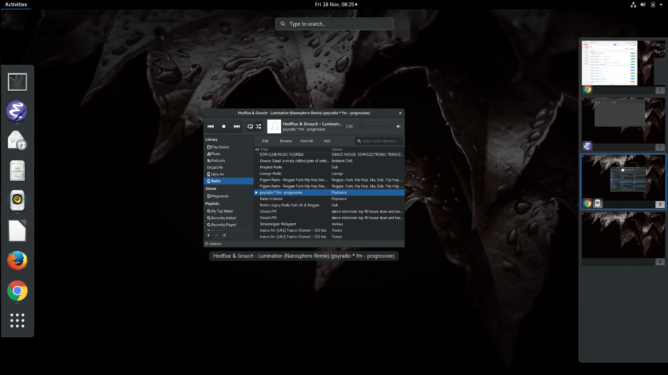
Screenshot of GNOME 3 desktop.

After all these years, I can still find no better development environment than GNOME 3, Emacs and Rhythmbox.

A 100% functional desktop environment, that’s way more flexible than macOS or Windows, more secure, more resource-efficient, faster, cleaner, less obtrusive, quicker to navigate, more economic keyboard shortcuts to navigate, and (IMHO) better on the eye too.

Which all matters when you spend whole days looking at code.

Image of speed blur - Self-hosting the IndieWeb

Discovering the IndieWeb movement was a 2015 highlight for me. It addressed many of my concerns about the direction of the modern internet, especially regarding ownership and control over that data.  But to truly own your own data, self-hosting is a must!

Background: Self-hosting your own stuff

I’m an ideas person. I have a number of projects – or, rather, project ideas – lined up, which I need to record and review. My blog provides me with the ideal space for that, as some ideas may attract the attention of others who are also interested. But why does this matter?

As someone who naturally likes to share experiences and knowledge, I see no benefit in not sharing my ideas too. After all, the web is all about sharing ideas. This matters to me, because the web is widely regarded as the most valuable asset civilised society has today (aside from the usual – like natural resources, power, warmth and sustenance)!

Owning your own data

As a small business owner, I sometimes benefit from various common business practices. For example, the standard accounting principle of straight-line depreciation means that after several years, capital assets once purchased by the business have little-to-no use for the business, meaning they become potential liabilities (both in the financial and risk-management sense). This means I am able to get hold of used, good-condition computing hardware of 4-5 years old at very little cost.


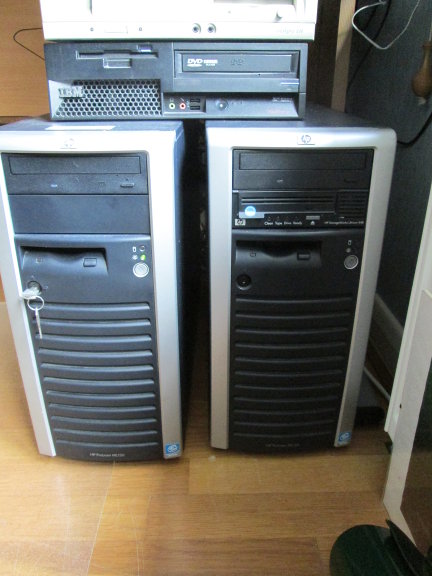
Two HP ProLiant tower servers, side by side. Self-hosting a website can work on much older hardware.
Even 10 year old servers still make for good general purpose machines. I’ll be using one of these for this blog, soon.  Expect plenty of caching!


This is useful for me, as a blogger and an IndieWeb advocate, as I can not only publish and manage all my own data, but also physically host my own data too. As I have fibre broadband running to my house, it’s now feasible to serve my blog as reasonable speeds with 10-20 Mib/sec upstream (“download speed” to you), which is sufficient for my likely traffic and audience.

This ties in nicely with one of my core beliefs, that people should be able to manage all their own data if they choose. I am technically competent enough, and have the meants at my disposal to do it. So why not!

Another driver towards this is that I wish to permanently separate “work” and “pleasure”. My business web hosting and cloud service is for my customers. Yes, we host our own web content as a business, but personal content? Well, in the interests of security and vested interests, I am pushing towards making  personal content something that is only hosted for a paying customer.

Of course, I would encourage anyone to start their own adventure self-hosting too!

Many bridges to cross

Naturally, taking on this type of arrangement has various challenges attached. Here is a selection of the tasks still to be achieved:

  • Convert some space in house for hosting
    • Create a level screed
    • Sort out wiring
    • Fire detection/resistance considerations
    • Power supply (e.g. UPS)
    • Physical security
  • Get server cabinet & rack it up
  • Configure firewall(s)/routing accordingly
  • Implement back-up – and possibly failover – processes

Step one: documentation

Whilst I am progressing these endeavours, it would be remiss if I didn’t document them. There is a lot to be said for the benefits (to a devop, anyway) of hosting one’s own sites and data, but naturally my blog must carry on while I am in the process of building its new home.

A quick jiggle around of my site’s menu structure will hopefully clarify where you can see this work, going forwards (hint, check the projects menu).

Taking it from here

If you are interested in hosting your own servers and being in direct control over your content/data, why not subscribe to this blog’s RSS feed or subscribe by email (form towards footer). Or if you have comments, just “Leave a Reply” beneath! 🙂

Ravensbourne campus entrance
The campus venue where the magic happens.

MozFest

Let’s be clear from the outset: there’s no word that adequately defines MozFest.  The Mozilla Festival is, simply, crazy. Perhaps it’s more kindly described as chaotic? Possibly. A loosely-coupled set of talks, discussion groups, workshops and hackathons, roughly organised into allocated floors, feed the strangely-complimenting hemispheres of work and relaxation.

Internal cross-section of Ravensbourne's floors
Nothing can prepare you for the 9 floors of intensity.

How MozFest works

Starting from the seeming calm of Ravensbourne’s smart entrance, you stroll in, unaware of the soon-experienced confusion. A bewildering and befuddling set of expectations and realisations come and go in rapid succession. From the very first thought – “ok, I’m signed in – what now?”, to the second – “perhaps I need to go upstairs?”, third – “or do I? there’s no obvious signage, just a load of small notices”…. and so on, descending quickly but briefly into self-doubt before emerging victorious from the uneasy, childlike dependency you have on others’ goodwill.

Volunteers in t-shirts, I’m looking at you. Thanks.

The opening evening started this year with the Science Fair, which featured – in my experience – a set of exciting hardware and software projects which were all in some way web-enabled, or web-connected, or web-controlled. Think Internet of Things, but built by enthusiasts, tinkerers and hackers – the way it should be.

“Open Hardware” projects, interactive story-telling, video games and robots being controlled by the orientation of the smartphone (by virtue of its gyroscopic capability).. the demonstration of genius and creativity is not even limited by the hardware available. If it didn’t already exist, it got designed and built.

An Open Web, for Free Society

Seminar on fixing corruption in public services
A multitude of social and policy-driven themes permeated MozFest

As made clear from the opening keynotes on Saturday morning, MozFest is not a place for debate. Don’t think this as a bad thing. The intention is simply to help communicate ideas, as opposed to getting bogged down in the mire of detail. “Free” vs “Open”? Not here. The advice given was to use one’s ears much more than one’s mouth, and it’s sound advice – no pun intended. I have generally been considered a good listener, so I felt at home not having to “prove” anything by making a point. There was no point. 😉

Several themes were introduced in the keynote speeches which really resonated with the attendees – sorry, the participants of MozFest. That of online security and surveillance, more than two years after Edward Snowden’s revelations, was as prominent as ever. Participation was another key theme, and to me one of the most poignant ideas of the whole weekend. Participation was not encouraged or expected; it was simply threaded into the very fabric of one’s presence. You participated, to a lesser of greater degree. This was one of the most socially inclusive experiences I have ever known.

Stories by the Fireside

I cannot overstate how social inclusion at all levels permeated MozFest. From the smallest of teams – 2 individuals, to the largest groups I saw, people were constantly engaged in conversation, development – personal, social and technical, and – perhaps surprisingly – quiet reflection, too.

Image of cupcakes with unusual toppings
Creativity and individuality – there’s a lot of it

Quiet zones were available for those needing a little downtime. The cerebral intensity of the weekend is clearly felt.

The concept of the fire-side story appeared several times, reminding us that the web isn’t just a resource in and of itself, but rather a medium to convey information.  Storytelling, one of the oldest methods of such conveyance, was a prescient theme. Represented through journalism, community and leadership, the scale of recognition (and a reminder) that the web is, primarily, a means to convey stories, took me somewhat aback. It’s inescpable logic, almost lost amidst the omnipresent noise of today’s social media.

Looking to the Future

Not only was MozFest a means to appreciate, understand and build upon the means to share information, it was also firmly invested in its future. Science and education were extremely well represented by group talks, workshops and forums.

Code visualising MozFest pathways on GitHub
Pathways were a means for guiding participants through the plethora of activities.

In fact, the sheer number of topics on offer, and guaranteed clashing of events sure to interest you, simply went to prove one thing: the web is not just big, it’s bigger than you can imagine. How the event planners and coordinators of MozFest actually found a way to combine the multitude of themes and interests into “Spaces” and “Pathways” is a huge credit to the thought-leadership behind this event. By encouraging leadership, the Mozilla Foundaiton has shown itself to be a more-than-capable leader in as diverse a field as there can be.

What I learned at MozFest

On arrival, I didn’t know what to expect. First-timers don’t.  I had a vague incling that I would face a learning curve, adapting to the culture and activities of the event. Like a wandering spirit, I probably stared starry-eyed at the overwhelming number of quickly-scribbled “adverts”, pinned, taped and hung up everywhere, telling me about “this event” or “that workshop”.  Even now, in reflection, I feel that the above post barely scratches the surface of the experience.

It’s sensory-overload, pure and simple. 🙂

MozFest is a journey. Physically, many people made long journeys to attend and participate. To those people, I am grateful – you have made my life richer by your efforts. But psychologically, emotionally and intellectually MozFest is so much more than the sum of its multitudinous parts: It’s an idea, a belief that together we can build something better for much time to come; build something to last that has intrinsic “goodness”. And we are not actually talking about the web. The conversation has evolved. The web might be the medium, but the story is now about us.

The question is, how do we nurture our most sublime nature, and be all we can?