<img class="alignnone" src="https://lh3.googleusercontent.com/-1neVy9ECwiU/VWnsmY3drOI/AAAAAAAAbqg/1eSd7KrMFZA/s0/google_img20150530-32073-1u26ta7.png" alt="" />

The biggest swell in decades hit Puerto Escondido at the beginning of May. The death-defying wipeouts that followed were humbling, to say the least.

Week In Review: http://srfer.co/SL7GmH

    Forbes summary article on S6 bloatware

…which is convincing enough for me to rule out another Samsung phone as my next choice. I expect I’ll go Nexus or Moto.

http://www.forbes.com/sites/gordonkelly/2015/03/28/samsung-galaxy-s6-galaxy-s6-edges-bloatware/2/

http://www.forbes.com/sites/gordonkelly/2015/03/28/samsung-galaxy-s6-galaxy-s6-edges-bloatware/2/

    Internet under attack.  Again.

As if BT’s attempt to patent the hyperlink[1] wasn’t bad enough, now we have movements in the shadows to prevent linking at all.  This goes against the quintessential fabric of the internet itself, and is stupid.

If your average copyright holder is truly so upset that part of their content gets copied into a search result snippet, why don’t they just stick it all behind a paywall and be done with it.  


[1] http://www.zdnet.com/article/bt-loses-hyperlink-patent-case/

https://savethelink.org/save-link

    Despite it’s controversial history and, some might argue, “dodgy” financial underpinning, I can’t help but admire Greenwich.  It’s a part of London relatively untouched by the progress of time; where the city-at-large surrounding it has left it be, as a…

http://stevedowe.me/2015/05/greenwich-time.html

[ This is an incomplete note. ]

I regularly use LibreOffice and love the software.  It’s proven reliable over my many years of use.

For my own reference, as much as anyone’s, here’s a few links I have found useful over the years in getting things done!

Calc


[ This is an incomplete post mainly consisting of notes to myself.  Ignore at will, commander. ]

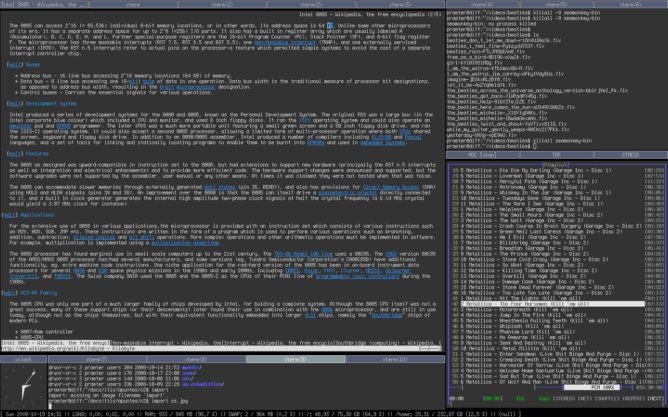
When installing slackware, I opted for the excellent XFCE desktop environment. But having become aware of i3, a new tiling window manager, I decided to give it a go.

Learning a new Linux distro is never completely straightforward, even for a veteren. All distributions do things differently, so the knowledge you gain in one distro is never wholly applicable to another.

This can make for interesting discoveries and baffling, vexing problems which require prolonged periods of diagnosis to remedy. But the joy of learning how things work is always with you in Slackware, which is why the distribution – while harder work – is certainly quite rewarding.

Installing i3

How to install… SBo… xwmconfig, etc

http://docs.slackware.com/howtos:window_managers:i3wm

Good starter docs by sycamorex

Getting the right screen display resolution with laptop and external monitor

Use Arch documentation as reference xrandr https://wiki.archlinux.org/index.php/Xrandr (and clues from http://oyhus.no/Intel_915G_SuSE_10.3.html)

To XDM or not to XDM…

The problems I had with XDM

Getting started with the i3 config file – setting alternative shortcuts, nm-applet, etc

$TERM – WTF!! http://superuser.com/questions/124908/how-do-you-change-the-default-term-value-set-at-console-login-ubuntu/124915#124915

Getting the € Euro sign working: http://www.dawoodfall.net/index.php/utf-8-console … and having to edit the code page slightly (removing the U+20AC character from the 4th position in the table) http://www.fileformat.info/info/unicode/char/20aC/index.htm (“loadkeys unknown keysym: ‘quotedblbase'”)

Other smaller config changes

Running Emacs (server) and testing with emacsclient http://www.emacswiki.org/emacs/EmacsClient#toc1

There is a growing trend amongst internet companies – i.e. those organisations who provide services over the internet which store your data – to proclaim your freedom and control over your data. Sometimes, the reality doesn’t quite bear up.

I have decided to write an ad-hoc series of blog posts treating this subject. My main area of focus will be how to use readily-available tools to help you liberate your data and regain control over it.

Keep an eye on my series, at https://dowe.uk/tag/data-liberation – and subscribe by email if you want to be kept up-to-date with the latest posts.

Initial plans

The main subjects I am planning to write about at this stage revolve around the current internet/mobile ecosystem and what you can do to live a productive life while maintaining security.

My outline of topics so far:

  • Unlocking your saved passwords from Google Chrome, the internet’s darling web browser
  • Using a free office suite to replace expensive, proprietary vendors’ offerings
  • Getting to grips with your own web account

– why do this? Benefits? – How to set up? – Basic steps for maximum security

  • Using your own internet calendar and contact list, rather than letting your data be snooped on by the easier alternatives…
  • Secure P2P file sharing – no, it’s NOT ILLEGAL!

As well as these practical how-tos, I’m also intending to cover the bigger picture in a few supporting articles:

  • Leaving the “safety” of Windows/MacOS behind. Addressing some misplaced fears.
  • Risks of the “walled garden”
  • Get back in control

– what YOU can do to ensure your rights are not being violated – being pro-active and helping in the community

With writing in mind…

If you would like to suggest ideas or subject areas that you would like covered, please get in touch.

I look forward to your comments!