Quite simply, I am very happy to be back in Emacs-land.

There I was, thinking that the web-based task managers, to-do lists, etc
were “all that”. Well, ok, I do feel that some are pretty good, as you can tell from
my tag cloud on this blog. But nothing ever felt like it was native to
me, this keyboard and this computer.

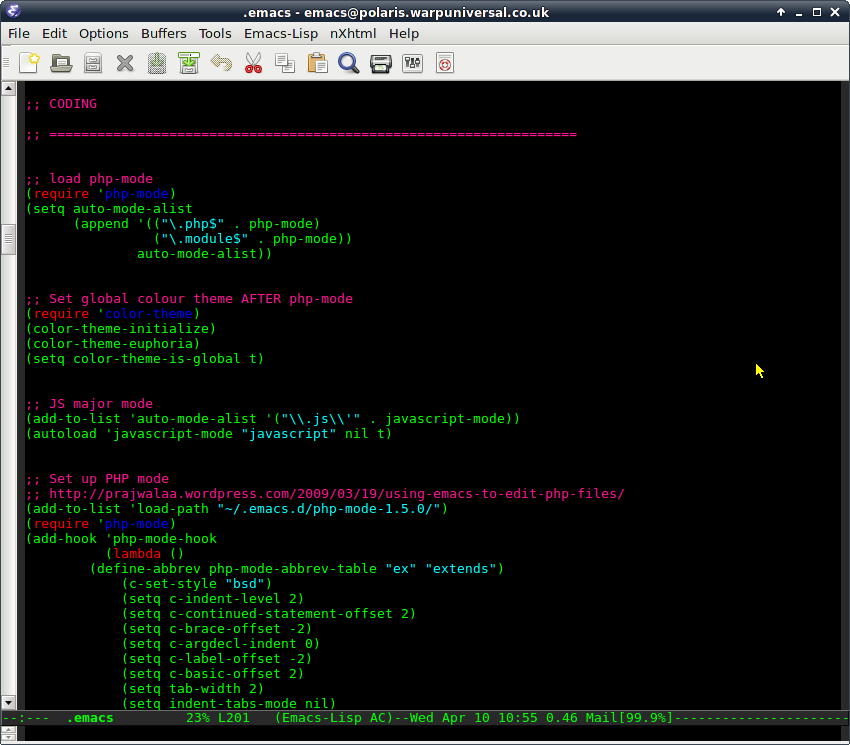
I wanted to put tasks on a computer to Screenshot - 100413 - 10:55:20make them easier to manage.  Putting them on a web site didn’t do that, and I don’t think it ever
really will for me. So I’m back in the saddle with orgmode and boy, am I loving this again. It’s amazing how the keystrokes just come back to
you.

Here’s my list of software in Emacs (at  present):

  • mu4e, for E-mail
  • orgmode, for task/calendar management
    mobileorg, for portability
  • weblogger, for blogging (duh)

For coding, I’m also using:

.. plus some other fontification and syntax colouring plugins.

Truly forgot what a joy it is to use this environment, although it does
take a little work setting up.

A simple one, this. Firstly, get to where rhythmbox stores its data:

# cd ~/.local/share/rhythmbox

Then, do this:

# grep podcast-feed rhythmdb.xml -A 5 | grep location | sed -e 's/<location>//' | sed -e 's/<\/location>//'

You should end up with a list of URLs which your podcast feeds are served from.

This is a blog post for personal interest and probably not of much amusement to others.

My work machine has a fresh install of the (soon-to-be released) Debian version 7 (codename “Wheezy”). There are a couple of modifications I’ve had to make to the installed software to get things working as desired.

Firstly, I’ve read really good things about mu4e – the “maildir-utils for emacs” email client.  (Just for clarity, the author of maildir-utils has abbreviated its name to mu.)  mu4e provides an interface to your email in emacs which is fast and efficient.  I like things that are fast and efficient.

I installed debian’s standard mu and mu4e packages, but found that mu (the wheezy-based package) was not indexing all of my email. Firing up mu4e within emacs then trying to browse the ~/Maildir/INBOX – and being told there were no messages – raised some suspicions!  So I removed that package and installed from source instead and, now, indexing works much better.

how to do this

Basically, it’s pretty simple.  Just:

# apt-get remove mu4e

This will replace maildir-utils (0.9.8) and mu4e.  Then download the mu-0.9.9.5 source (list of mu releases) and follow compilation and installation instructions from its install page.

On Debian, this will result in you installing mu and mu4e to /usr/local/share instead of the default installation point, /usr/share.  To enable the use of /usr/local/share/emacs/site-packages/mu4e/ from within your standard emacs23 install, just create a symlink pointing to it from /usr/share/emacs/site-packages/ :

# ln -s /usr/local/share/emacs/site-packages/mu4e/ .

The software replacements are:

  •  with mu (0.9.9.5) from the  package

other modifications

(Edit) I also installed gnu tramp for Emacs from source, but the reasons why I originally did this now escape me, as tramp has been part of Emacs for a while.

unrelated issues

I have found a worrisome issue in wheezy.  When I attach an eSATA drive to my ThinkPad (T420) and copy lots of data – e.g. GBs of photos – to my ~/Pictures, I get some kind of kernel panic/X error.  I’m still investigating this at present.

I will attempt to keep this list updated as I continue getting this set-up just as I want it 🙂

[ EDIT 10 April 2012 10:00 ]

Grabbing the currently stable, newest kernel source (ver 3.8.6) and compiling it in the debian way has seemingly fixed this crashing/locking issue.

.. and why you should consider it, or, “…and how to be more efficient”.

I’m an avid tasker and a fan of the GTD methodology, but when I use tools that have lots (and lots!) of features I tend to slip up easily and do silly things.  An example is adding a repeating task to my task list.  A repeating task? Why is this an issue?


Google Tasks: Simple.
Too simple, for some.

I simplify this slightly, but in David Allen’s approach to task management, anything that is time-related should be put into a calendar.  Therefore, if I am allowed to set up a repeating task, this means I need to do something with a certain regularity, which further implies I must actually do it at some point in order for it to warrant the repetition which I have ascribed to it.

In ToodleDo and other “expert” task managers, the ability to manage tasks has advanced to the point where you can essentially control your calendar through your task manager.  This approach really suits some people but, to me, this essentially is the tasks-first, time-second approach.  It is truly a GTD-esque system and I have had a love/dislike affair with it for several years.  I have never “hated” ToodleDo – it’s a great system, but isn’t as integral with my working environment as I would like.

Why move?

To me, tasks should be lean and mean.  I don’t really want to spend my time managing them – I want to be doing them.  And various factors always weigh in that can be managed outside of my task list.  I become less efficient if I start duplicating events into tasks.Part of me loathes the traditional “Weekly Review” of the GTD system.  I have a daily review and the most important things are always the ones that get done – it’s a self-managing approach which I’m happy with and doesn’t require over-thinking.  Removing the opportunity to over-manage tasks is A Good ThingTM in my book.  All I want to do is store my tasks somewhere and interact with them quickly.  Using Tasks in Google will accomplish this.

Yes, but what about contexts, projects (folders), statuses & goals?!

GTDers rejoice! Toodle-
Do lets you live the dream!
In defiance of pure GTD-ism, here are my views on these three aspects:
  • Context
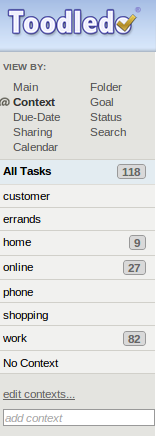
    In GTD, the context of a task is, broadly, how, when or where you might do it.  What I kept finding about my contexts, as I was setting them, were that they kept resembling more basic primary situations.  For example, I started with “shopping”, “online”, “errands”, “home”, “phone” and “work”.  Except, when I started looking more closely, these contexts could be whittled down – and needed to be, in order not to conflict with my Projects/Folders.”Errands” and “shopping”.. well, I would generally be out and about for both of these, so why not make them simply “out-and-about”?  This would mitigate the risk of not running an errand while out shopping.  Phone calls would typically be work-related, but not always – so I would either make them during work or in personal time.  Realising this, I started to see that all of my activities would be split, broadly, between work and personal time.  Therefore, if I was working, I would want to make work phone calls.  At home, I would want to catch up with my friends online.With always-connected capability (phone, internet, 3G, etc) my contexts eventually became two things: work or personal.  That’s it.  With a Google Apps for Business account (work) and a personal GMail account (personal), I can separate my work and personal tasks completely.
  • Projects/Folders
    My Folders (“Projects” in GTD parlance) in ToodleDo would typically resemble the types of task I needed to manage.  You could argue that this is the wrong way to manage tasks, and instead use Tags for this purpose.  While true, Tags are amorphous while Folders are structured and, in ToodleDo, Folders resemble the only way to aggregate tasks into suitably-managed “blocks”.My Folders are things like “cases” (support), “customer/project”, “finance”, “phonecalls” and “systems”.  These are unlikely to change as they closely match my general daily activities.  Google’s Tasks can accommodate this with top-level lists.  Within each list, I can have a task (with indented sub-tasks) which allows enough manageability without overcrowding my senses with due-dates, contexts and estimated duration.
  • Status
    This is a real easy one and probably the one thing I disagree with GTD about.  The overall status of my tasks is logical: either incomplete, or complete.  If I am waiting on somebody, I will already know this.  If I am doing my task, I will probably know this too!But what about if I wish to do my task “someday“?  Well, shocking as it may sound, but that’s how I view all my tasks.  They are things to be done, sooner rather than later, but someday is the best I can plan for.  And this is what it’s all about: planning effectively.  Therefore, to have a status of “planning” seems idiotic: unless I’m actually doing a thing, I’ll probably planning to do a thing!This is the key:  the status of a task in GTD could be mistaken for the status of a person – you.  If my status changes, that might mean my ability to do that task is deferred.  That doesn’t mean I won’t do it, or that the task somehow becomes like me and is also unable to do anything until another time (such as when I am well, or back from a holiday, etc).
  • Goals
    …. I include here as a passing reference.  One aspect of goal-setting is the ability in ToodleDo to track progress on tasks relative to goals set.  In this regard, Google’s Tasks is clearly inferior.  But managing goals can exist outside the context of a task management application and, I argue, it should.  If goals are important, one’s whole life should be managed into achieving them.

They said it couldn’t be done.

Well, actually, they didn’t really say that.  I did.  But it’s true – it couldn’t be done, easily, until now.

Here’s what you need:

  • A ToodleDo account (www.toodledo.com)
  • An Astrid account (www.astrid.com)
  • A GMail or Google Apps for Business account (www.gmail.com)
  • A smartphone capable of running Astrid’s mobile app, installed from your device’s play/app store.*

* I have only used this on Android 4.1 and have set up both of my Google accounts as sync accounts on my phone.  As always, your mileage may vary.

Here is the order of my approach – no warranties offered, it just worked for me:
  • Install the Astrid app on your smartphone.
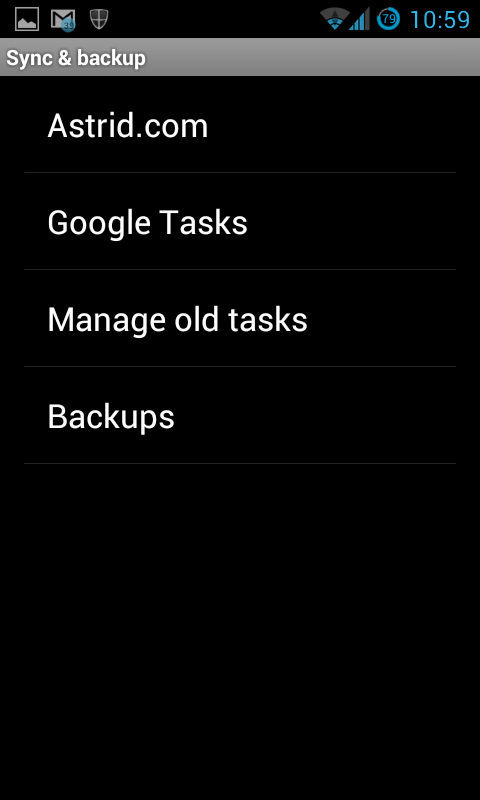
  1. In the app, navigate to Settings   (see pic to the right)
  2. Select Sync & backup
  3. Click on Synchronize now
  4. Authorize the log-in using your destination Google account
  • Create or Log-in to your astrid account using your desktop web browser, as astrid.com
  • Still in the Astrid app on your phone, go back to the Sync & backup settings and select Astrid.comensure that you can log in using your astrid.com account credentials.
  • Run a sync on the phone (menu > Sync Now) – this will sync your two task lists (Astrid and Google).
  • Now, log in to ToodleDo in your desktop browser and navigate to Tools > Import / Export / Backup and select CSV Import / Export.  Choose to Export all incomplete tasks.    You can also export all completed tasks if you want, but there’s no point syncing them (IMHO).
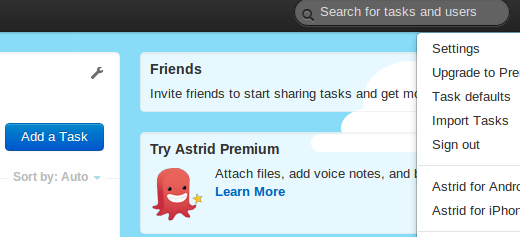
  • Back at Astrid.com in your desktop browser, click on your “name menu” at the top-right of the page, then Import Tasks. (see above-right screenshot)
  • In the next page, use the drop-down to select ToodleDo.
  • Import your CSV backup of incomplete tasks from ToodleDo – this may take a couple of minutes.  Be patient!  NOTE: I saw a javascript error/alert when doing this, but my tasks still imported ok.
  • Back on the phone, tap “Sync now” again.
  • Voila!  Your original tasks are now in Google Tasks!

Working alone can be tiresome.  If you are your own boss, it can be pretty gruelling to keep tabs of your schedule, stay on top of development plans, keep up communications with friends, family, business contacts and your wider network.

Here are five tips that I find help me enormously on days where I work alone.

1. Structure your day

Decide on a routine and stick to it and don’t be tempted to “just do this” when it means overshooting your alloted time

2. Be mindful of your caffeine intake

It is very easy to keep piling up biscuits and gulping down pints of coffee, but this can have a deleterious effect on concentration and productivity

3. Get outside!

As simple as it sounds, taking just 30 minutes away from your screen at lunchtime can make the second half of your day as productive as the first

4. Speak to people

Being totally isolated and not having the benefit of human interaction can make the brain lethargic.  Stimulation by interaction – whether a phone call, or video chat, can help minimise this

5. Decide on your end time

If you are the type of person who likes to knock off 30 mins early, see if you can discipline yourself  to complete “on time”.  Or, if you tend to overshoot and work longer than you should, be firm.  Make your deadline real and stick to it.

I find that these simple rules help maintain a clear mind during both busy and less intense periods.

Let’s be clear:  I am a stubborn git.  I’m the first to admit it.  To the dismay or, perhaps, bemusement of my friends, I struggle with product concepts such as the iPhone, iTunes, Amazon Kindle, eBooks in general, Facebook and Skype.

My friends tell me it’s because I don’t like to conform with the “normal” things that everyone else does.  Things like broadcasting my whereabouts and the company I keep at all times in my life, wherever I am.  Apparently, disagreeing with the background, terms of service, patenting practices and Digital Restrictions Management (DRM) of various “social media” service providers is anti-social and rebellious. 

It’s a curious thing to be a digital pariah.

What my friends don’t understand is that I don’t restrict my opinions to Apple, Facebook Inc., Microsoft and Amazon.  It’s just that they’re the companies my friends use, so to relate to them I cite them as examples.  I feel exactly the same way towards some of Google’s services and products, although I do have slightly more faith in Google than any of the above named alternatives.  They do more good, in my opinion.  And, with Google, at least you have confidence in being able to delete anything you create.

My main objections to these services & products, then, are:

  • privacy: I do not wish to be “guilty by association” on any social network.  Being tagged without my permission, and/or the attempt of tagging me (whether I disallow or permit the tag – or ignore the attempt to tag) is not acceptable.  It is especially unacceptable when I have no faith that the service provider will protect my interests as a private individual and law-abiding citizen.  
  • security: anyone remember when the iPhone took pictures of its users without their knowledge?
  • product quality: I am not interested in any iDevice because of the standard of software engineering and product management.  I am also not interested due to the restrictive rules of the app store.
  • freedom and flexibility: smartphones are good if they are flexible.  If I buy any device with gigabytes of storage, I want to be able to use it for whatever purpose I choose.  And, I don’t want to use any device:
  • with a proprietary connector which requires an expensive proprietary cable to connect it to a computer;
  • which uses a proprietary, “secret” protocol that my chosen computer can’t connect to; 
  • that virtually prohibits me from putting my own digital content on the device, rather than that obtained through the device vendor’s sales channel;
  • that supports in any way the obscuring of content I have a right to, or in some way supports an ecosystem where the alteration, deletion or other control of content is deemed “acceptable” through the EULA;
  • that limits me!
  • On this last point, it worries me that Google Inc are appearing to adopt the Apple way of doing things on their Nexus devices – and in their cloud software.  Not being able to use additional data storage (no SD card in a phone, in this instance) means a greater reliance on the Google way of doing things.  Android software is becoming less flexible with regard to media storage (the camera app no longer lets you select the photo storage location, for example, although Android still supports external SD cards and will utilise media stored on it).
There is a greater trend also: that of the death of physical media and moving everything “into the cloud”.  There are a few fundamental problems with this:
  • Physical media can be shared and enjoyed by more than one person.  Sharing is not copying nor is it stealing.  If I am attending a family gathering – a party, say, then I am free to bring along a couple of CDs to play.  How can this simple act be replicated by cloud-only storage?  If we all use cloud-storage network devices at home, sharing a CD will become impossibly.  
  • One solution to this, touted by a friend, was to “bring along your iPod“.  Disregarding that I wouldn’t have an iPod, introducing this as a solution means I would have to ensure that my portable music player is up to date with all my music.  A solution to that is, of course, a cloud-based music service – iTunes and Google Play Music are two obvious contenders.  But there’s a further problem: connectivity.  Is a 3.5mm headphone plug to amp/speakers standard equipment in most households?  Unlikely.  So there my music stays, locked inside my device unable to be shared.
  • Books.  I can pick up a physical book, read it, share it.  I will probably get my book back if the borrower is respectful, thus I haven’t been denied it in the process of lending.  Can the same be said of eBooks?  Can one “lend” an eBook to a friend?  Perhaps.  More worryingly, though,, can it even be guaranteed that any digital eBook provider will not alter original material or remove any purchased books from my library?  Again, unlikely.
  • We begin to see, further and further, that DRM is abused by on-line content providers.  We are restricted in new ways that the old ways couldn’t (and shouldn’t) prevent.  It is troubling that access to information is price-controlled in this way; entire cultural values can and will be influenced by the (lack of) availability and slowly, surely, belief systems and perceptions of free thinking and free will may be curtailed, even ceasing to (legally) exist.   Hello, 2084. 
    This is why I will not lock my photo, book or audio content in any on-line silo.  I will always have off-line access to my copies of digital media and I encourage others to do this also.
    Does this make me a stubborn git? Or does this make me someone who is not prepared to endure extortionate business practices with items as important as art, literature and music…?

    Enhanced by Zemanta

    facebook engancha
    facebook engancha (Photo credit: Wikipedia)

    Oh dear.

    Many bloggers and commentors have read Mark Cuban‘s recent blog about Facebook‘s edgerank story sorting algorithm.  One could argue that at the level of Cuban’s business, small problems become big problems quickly.  But, on Facebook as in most walks of life, being “large” does have some advantages.

    One advantage is Facebook’s Page Insights.  Let’s take the smallest business.  In Facebook terms, it’s this:

    • a one person profile with no friends
    • one page owned/managed by that person with several likes
    If you want to build up a following quickly, you need to build up some Likes.  Be Liked.  Or, at least, look like you’re liked.  You probably get the idea.  This is marketing, after all.
    So, how about running a competition?  Provide an incentive for someone to come and “Like” you.  How about asking current customers (those who, presumably, like you anyway) to submit a review and hit “Like”.  Great.  
    Except it’s not great, really.  To use Facebook’s Page Insights, you need 30 Likes.  Yes, it’s not a tall ask, but why?  The problems with Facebook for small business start with this innocent enough little idiom.  No, there should not be a 30-Like threshold to see who Like’d you.  There should be 1.
    Facebook’s habit of making it hard to access and understand your own data, or data relating to you, stems from the misguided notion that building up more visible momentum in your brand’s page means you’re more like to find Facebook “sticky”, and consequently more important (vital, even) for the success of your on-line marketing.
    Does Google Analytics insist that you have over 30 visitors per month to your site before it can be bothered to report this back?  
    Enhanced by Zemanta

    I was recently asked to explain the difference between setting permissions on a directory to either 755 or 751.
    In 751 mode, a user who isn’t the owner and isn’t in the group assigned to that directory can still execute anything within that directory, provided they know the name of the executable file.  They are unable to browse the contents of that directory to find the name.  Therefore, 751 is inherently more secure than 755.

    The funky, geeky bit

    For reference, each number of 7 5 1 is an octal representation of the number of permission bits set on the file/folder.  There are 3 bits per field.  
    Taking the 7, from 751, this means all bits are set to 1.  This is how it works (think of it like a lookup table):
    meaning:     r   w   x    (read, write, execute)
    bit value:   4   2   1    (< - this is  the octal lookup bit)
    bit set to:  1   1   1    == 4 + 2 + 1 == 7.
    If you take the value 5, then this is how that’s set in the bit fields:
    bit set to:  1   0   1      == 4 + 0 + 1 == 5.
    Remember, there are three fields!  So each field – the “owner”, “group” and “others” fields – contains the sum of permission bits set for that field.  The “751” is actually a nice, easy way to see permissions.  The actual permissions set in a 751 situation are, in binary “nibbles”, 0111, 0101 and 0001. 

    Demo – try it yourself!

    As root, set up a test dir in /tmp/ called test, with 751 perms.  Then create a file within that called hello.sh which simply outputs “hello” on the command line when executed.  To achieve that, simply do this (as root, remember):

    # mkdir /tmp/test

    # touch /tmp/test/hello.sh

    # chmod +x /tmp/test/hello.sh

    Then edit /tmp/test/hello.sh and put these two lines in:
    #!/bin/sh

    echo Hello
    /tmp/test is owned by root (rwx / 7) , has the root group (r-x / 5) and the "world" just has execute (--x / 1).  When using your own user account, trying to do a ls /tmp/test - should tell you that permission was denied.  

    However, you should be able to do /tmp/test/hello.sh which outputs "Hello" as expected.  

    If you bump that world permission to r-x / 5, you would be able to see that file because ls has the necessary permission to read the directory contents.

    As a Debian user, you may choose to adopt the distro-managed rebuild of the world’s greatest web browser.  But, by doing so, you may not be able to use G+.  Don’t worry, the answer is at hand.

    Visit the Firefox add-on page for User Agent Switcher:

    https://addons.mozilla.org/en-US/firefox/addon/useragentswitcher/

    Install the add-on and restart your browser.

    Now, go to Tools > User Agent Switcher > User Agent Switcher > Options…

    Add a new User Agent, call it Firefox 11.

    Add the following text in the fields:

    • Description: Firefox 11
    • User Agent: Mozilla/5.0 (X11; Linux i686; rv:11.0) Gecko/20100101 Firefox/11.0
    • App Code Name: Mozilla
    • App Name: Netscape
    • App Version: 5.0 (X11
    • Platform: Linux i686

    If you’re running an amd64 build, plonk that in the Platform field instead (it’ll probably already be populated).

    Make sure there is no reference to Iceweasel in the User Agent field.

    Make sure this user agent is active, and then browse to Google+.

    Have fun! 🙂