

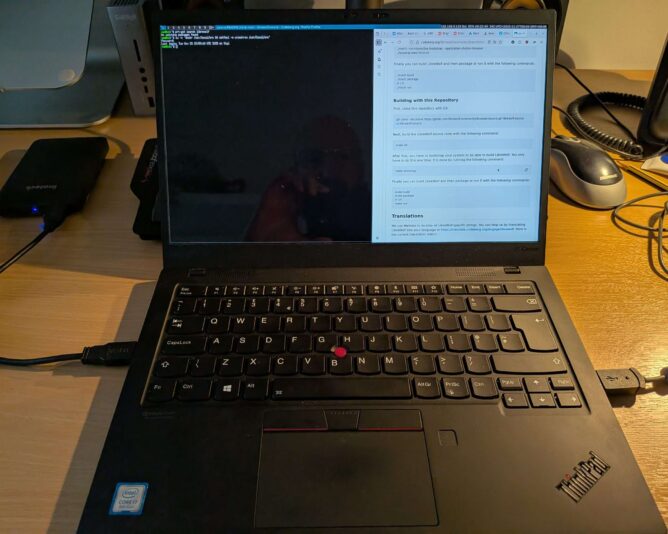
I decided to trial CRUX on my laptop. For the uninitiated, CRUX ‘is a lightweight Linux distribution for the x86-64 architecture targeted at experienced Linux users. The primary focus of this distribution is “keep it simple” ‘. (CRUX handbook)
The aims of this exercise are twofold:
- Achieve a singular focus on software and system management. I want only the software I want on my laptop to be on my laptop. Nothing more. I don’t need to install games, for example. Sadly, I don’t have time for that.
- Take this minimalistic journey to its conclusion, by running a suckless environment. Suckless software (unencrypted link) is ‘the home of quality software such as dwm, dmenu, st and plenty of other tools, with a focus on simplicity, clarity and frugality. Our philosophy is about keeping things simple, minimal and usable.‘ (suckless philosophy)
The combination of CRUX and Suckless software means that a lot of compilation of source code is expected. This is fine – it promotes a journey into better understanding of “the UNIX way” and grasping the concepts behind the shell and userspace more closely.
It’s minimalist, which is what I like. Truth is, like most people, I’m easily distracted. Give me a little stress and I can find many other things to do (like write this blog?!) instead of the work in front of me. Running the most minimalistic computer environment is that my attention has little chance to wander. No distractions. No notifications. Just singular purpose – the tasks to be achieved.
Baby steps
The first step in setting up a CRUX system is installation. Easy, one might say. To some extent this is true: the documentation is written very well; you can tell it has been honed over successive generations into a terse, reasonably compact yet sufficiently detailed tome of guidance on how to set up your machine. Unfortunately, I failed at my first endeavour, and ended up with an unbootable system. The reasons were several:
- I made a simple, schoolboy error with the syslinux bootloader, naming my kernel image vmlinuz-6.12.23.img. This is incorrect according to the syslinux documentation, as I later discovered. Only initramfs images can have the .img filename extension. Once corrected, the system actually booted but soon ran into another problem.
- I inadvertently stripped back the kernel too much when compiling it, removing (or not adding) key items like framebuffer support and the intel i915 graphics driver. This made early-boot diagnostics very difficult, because errors would scroll by, off-screen, before I could read and understand them.
- Furthermore, I stumbled upon a weird situation with dracut/initramfs. When running through the early boot process, it mounted /usr (which was a separate LVM volume on my SSD) into the early-boot environment, but then didn’t unmount it before running switch_root. switch_root is the process that gets executed as a final “handover” to the Linux kernel, allowing it to continue the boot process by providing mounted drives that are ready for init (pid 1) to be executed. Because /usr was mounted, a filesystem check could not be performed on it before mounting, which halted the boot process. I need to re-test this before considering raising a bug report.
- The combination of the above factors meant that I couldn’t see the fsck issue occurring when starting up the system, and instead was left with a system that (after bootloader issue was resolved), didn’t tell me a lot about why it wasn’t booting. Yuck!
RTFM, again
In case you have stumbled upon this page and think “that sounds like what’s happening to me”, let me point you to the very helpful additional documentation:
This documentation, in addition to the CRUX handbook, got me through. It’s very useful to understand where the rd.* variables live (and why), and what options you have to improving the boot environment to help with early analysis and debugging of your set-up.
Next steps
My bootable CRUX system currently lives on an external SSD, in a USB enclosure. My intention is that once that environment is functionally equivalent to my current Debian 13-based laptop, I’ll do a disk-switch by backing up my laptop image (the whole image, as one file, to another external disk) and then run through the installer one last time, properly setting up the laptop SSD with a new partition table, boot sector and fully-sized luks-encrypted volume that will contain all my data.
Once the basics have been set up, I’ll then boot into a rescue environment and copy verbatim all files from the external USB CRUX drive’s logical volumes to my internal laptop drive’s LVs. It’s slow-going, but a much more measured approach which I have to remind myself is the right way to go, here. (One is perhaps a bit impatient at times … ahem).
I’ll write a follow-up post when getting nearer to the switch over.
Why all this effort?
Like many people, I firmly believe in the following principles:
- privacy-first computing: that you should opt to share any data from your computer, to any person or organisation. Not have to “opt out” (how can you opt out if you never opted in, I wonder?!)
- digital-minimalism: install and run the software you need, and that’s it
- learning-focused: create an environment that cultivates and encourages learning. Avoid the temptation of environments that “just work”.
- community-powered: this is a way I can contribute back to the community of developers and creators whose hard work provides me with the freedom of choice.
Life is too short not to align with your values. That’s the CRUX of it.